
Every unit you service, every customer, one account. Prove each visit with a scan.
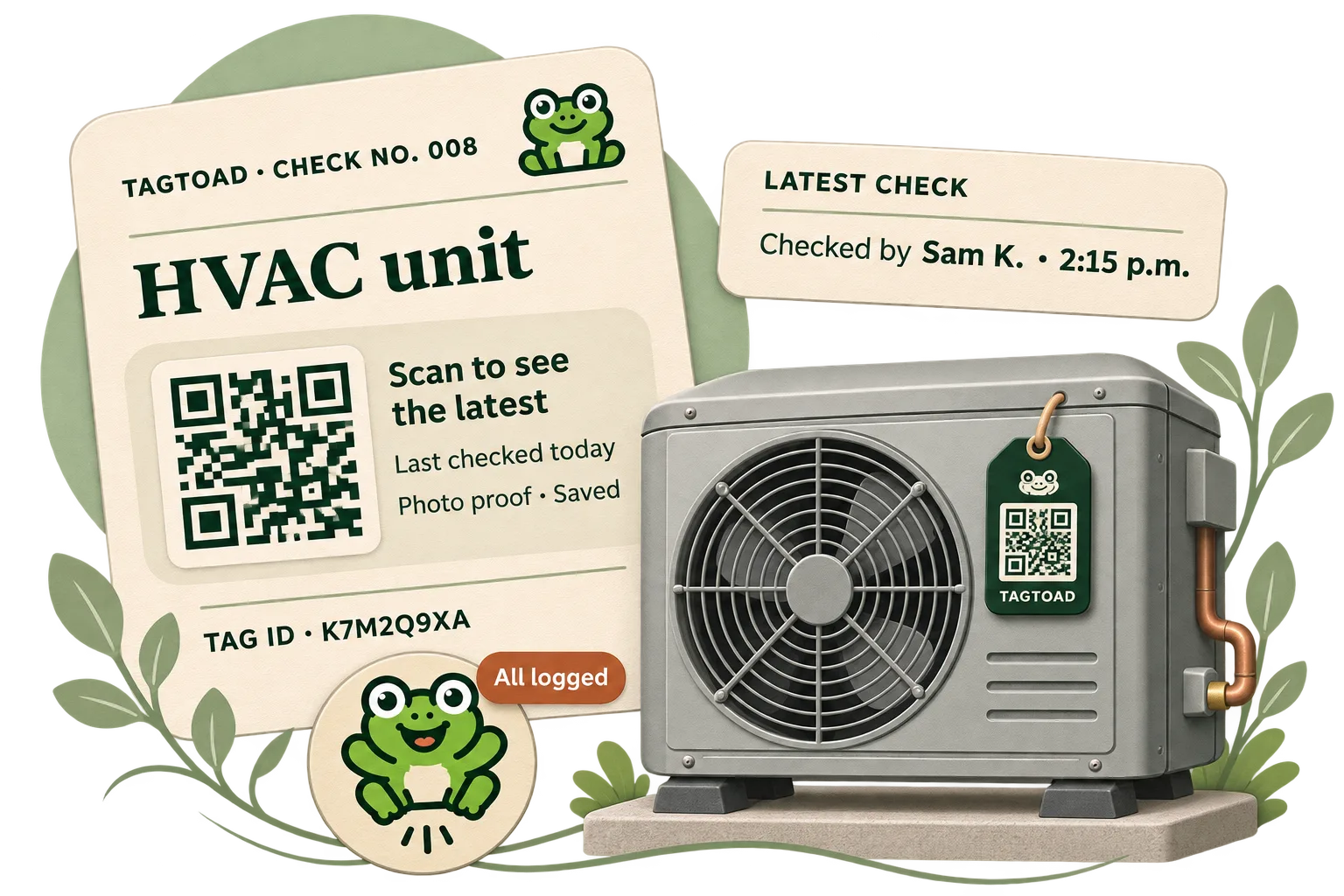
Your technicians scan the tag on a rooftop unit or walk-in cooler, run the checklist and snap a photo. Each customer sees its own service history for free, and you see every site in one place. No app to install.
Looking after your own places? It is the same account: your own equipment is set up as a customer of your company.
Free for up to 3 items & areas, no card needed.
- Your records and photos are kept in Canada
- No app to install
A customer asking when you last serviced their unit.A warranty or insurance question with no proof of the maintenance.
A tag on each unit turns both into one scan: who serviced it, a photo, and a time from our server, with the history kept for each customer.
Where the tag goes
Stick a tag where the work happens. Whoever does the job scans it and logs it on the spot.
Rooftop HVAC unit
Filter and belt checks with readings, logged on every visit.
Walk-in cooler or freezer
Temperature and door seal checks, with a photo.
Condenser or compressor
Service visits, hours and parts used, in one history.
Customer's mechanical room
Gate code and access notes, shown only to your technicians.
Exhaust or makeup air fan
The seasonal check, with who did it and when.
How it works
TagToad makes a recurring check feel like part of the job, not another system to manage.
Tag it
Put a TagToad QR tag on each portable toilet, washroom, fridge or piece of equipment. Print paper codes from your account, or order a pack of blank stickers and set each one up with a scan.
Scan and log
Your technicians scan the tag with any phone, fill in the checklist and take the photo. The date and time come from our server, not the phone. No app to install.
See the record
Anyone can see when the job was last done and when it’s next due. Each customer gets its own records for free; you get alerts, a full history and PDF reports.
See it in action
Every unit, every site, one account. Prove each visit with a scan.
Washrooms, fridges and fire extinguishers at your own sites.
Your own equipment is set up as a customer of your company: the same checklists, schedules and photo proof, and it never counts toward your customer limit.
Who it's for
From the rooftop unit to the walk-in cooler, keep every customer's equipment history in one place.

HVAC and refrigeration
Filter changes, temperature readings, belts and coils, each with a checklist, a photo and a schedule. Build the checklist once and apply it to every customer. Each customer gets a free view of its own units and a Monday summary email.
Staff washrooms
O. Reg. 480/24 asks for the date and time of the two most recent washroom cleanings, posted near the washroom or available electronically. Scanning a TagToad tag shows exactly that. Read O. Reg. 480/24. How long records are kept depends on your plan: Free 3 months, Essentials 6 months, Pro and Max 3 years. More on Ontario washrooms
Restaurants and cafés
Ready-made checklists for washrooms, fridge and freezer temperatures, grease traps, kitchen hoods, pest stations and fire extinguishers, each with a photo and a schedule.
Construction and event sites
Tag every portable toilet, handwash station and first aid kit. The supplier logs each visit with a photo, and the site sees the last service on each unit and which ones were missed.
Free keeps 3 months of history. Construction and event sites usually need 6 months: choose Essentials. See Essentials
Proof you can trust
Photo proof
Checks can require a photo from the app's own camera, stamped with the date, the time and the washroom or piece of equipment. The time comes from our server, not the phone.
Review flags
Checks logged without scanning the tag, too quickly, with a reused photo, or away from the washroom or equipment are flagged for you. Nothing is blocked: you decide.
Records can't be edited
Once a check is saved it stays as it was. A mistake fixed in the first 10 minutes is saved as a correction beside the original, so the history stays honest.
Every check has a name
Staff sign in with their own emailed link. Each check shows who did it, and service visits can be signed on screen.
Secure sign-in
Sign-in links work once and expire after 15 minutes, and everything travels encrypted.
Private, and kept in Canada
Records and photos are stored in Canada. Photos stay private unless you choose to share them, and we never sell your data. Download your records any time.
Everything a clipboard
can't do
A better record for the owner. A clearer answer for anyone who scans the tag.
Public last-done page
Anyone scanning can see the last two checks and when the next one is due. Photos stay private unless you choose to share them.
Schedules and alerts
Set how often each washroom or piece of equipment is checked. A daily email lists what was missed or failed. You choose who gets it, and can switch on an instant email for missed checks and failed checks.
Inspector-ready records
PDF reports and CSV exports of every check: who did it, when, the answers and the photos.
Free for your customers
Each customer sees its own items & areas, status and issues for free, with a Monday summary email and a records link. No account needed, and it can ask you to hand the records over when it wants to run them itself.
One list of issues
A failed check, a report from a scan or one opened by hand all land in one Issues list. Fix it, then confirm.
Saves your check if the signal drops
Lose signal while you log? The check is saved on the phone and sent when you are back online, with the time it was done.
Notes and manuals on site
Gate codes and hazards on the location, manuals and spec sheets on the item, shown to the people who work there and never to the public.
Move units between customers
Pull a unit from one site, redeploy it at another or put it in your yard. Each customer keeps the records of its own site; you see the whole history.
A report for every visit
Each service visit can produce a one-page PDF: who, when, the answers, the signature and the photo.
Blank tags, set up with a scan.
Every tag says “Scan here for service” (or carries your logo and name). Stick it on a unit, scan it, and pick the customer and location. Every QR carries the TagToad frog, and a replaced tag keeps its history.
Simple, flat pricing
Canadian businesses pay in Canadian dollars; everyone else pays in US dollars. Unlimited staff on every plan.
Need more than 2,500 items & areas, 250 customers or 5 business locations? Let's talk. Talk to us
Free
$0forever · no card neededEssentials
US$25USD / month · CA$36 CAD in Canadaor US$250 / year · 2 months freePro
US$50USD / month · CA$71 CAD in Canadaor US$500 / year · 2 months freeMax
US$100USD / month · CA$142 CAD in Canadaor US$1,000 / year · 2 months freeLet's talk
CustomA plan built around youService company customers get a free view-only account.
Free keeps 3 months of history. Construction and event sites usually need 6 months: choose Essentials. See Essentials
Questions
Not seeing your kind of check here? TagToad is made for all sorts of routine work.
Do staff need to install an app?
No. They scan the QR tag with the phone's camera and it opens in the browser. Staff sign in with an emailed link.
What does the public see when they scan a tag?
The name of the washroom or piece of equipment and the date and time of the last two checks, with the first name and last initial of who did them (for example "Adam F."), plus a button to report an issue. You can hide the times for a category. Keep times visible on washrooms if you use TagToad for Ontario's washroom cleaning records. Notes and photos stay private.
Does it help with Ontario's washroom cleaning records?
O. Reg. 480/24 asks for the date and time of the two most recent washroom cleanings, posted near the washroom or available electronically. When scanned, a TagToad tag shows the date and time of the last two checks. How long records are kept depends on your plan: Free 3 months, Essentials 6 months, Pro and Max 3 years, and Pro and Max can also keep marked records for 6 years. TagToad keeps the records; check the regulation for what applies to your workplace.
Can our cleaning or portable toilet service company log the visits?
Yes. When your cleaning or portable toilet company uses TagToad, it logs each visit on the units it looks after and you see every record for free as its customer. The company keeps the records; if you want to run them yourself, ask it to hand them over.
Can a service company use TagToad for its customers?
Yes. Log every customer's items & areas from one account: job dispatch and a daily job list for each technician, a one-page service report for each visit, and category presets you build once and apply to any customer. A company can also look after its own places. See the service companies page for the details.
Do my customers pay?
No. A service company pays for its plan, and its customers get a free view of their own items & areas as Guest Viewers.
What can a Guest Viewer do?
See their items & areas, categories, status and issues, download inspection logs and request a new tag. To run it themselves, they ask the service company to hand the records over, then subscribe to their own plan.
Where is my data kept?
Your data and photos are stored in Canada. Some providers, such as email, payments and sign-in, handle some data in the United States. See our Privacy Policy.
How do I know the work was really done?
Each check can require a photo taken in the app's own camera, and the time comes from our server, not the phone. Checks opened without scanning the tag, logged suspiciously fast or with a reused photo are flagged for you to review.
What if the signal drops on site?
If the signal drops after the tag's page has opened, your check is saved on the phone and sent as soon as it's back online, keeping the time it was done. The page itself needs a connection to open, so scan the tag where there is signal.
How much does it cost?
Canadian businesses pay in Canadian dollars; everyone else pays in US dollars. Prices are before tax. The Free plan covers up to 3 washrooms or pieces of equipment and 1 business location, with no card needed. See the pricing page for every plan.
Can I cancel?
Yes, anytime. You keep access until the end of the period you paid for. If you ask within 7 days of your first payment, we refund it in full. If you cancel, your records stay available to download for 90 days, then they're deleted. See Billing and refunds in Help.
I'm a service company. What do I pay for?
Service companies: the items & areas of your customers that have no plan of their own count toward your plan's limit, and each paid plan covers a number of customers (Free has none). Customers who only view and download are free guests. See the pricing page for the numbers.
Where do the tags come from?
Print paper QR codes from your account right away, or order printed stickers.
Put your first tag up today.
Sign up with your email, add your first customer, then scan a tag onto one of its units.